Financial planning and analysis

Plan with the guardrails built in.

In a spreadsheet, one careful person holds every rule. SMH Finance puts the rules in the process: formulas you can trace, a named reviewer on every budget, and a lock once it is approved.

For FP&A (financial planning and analysis) teams who plan in spreadsheets today

SMH Finance
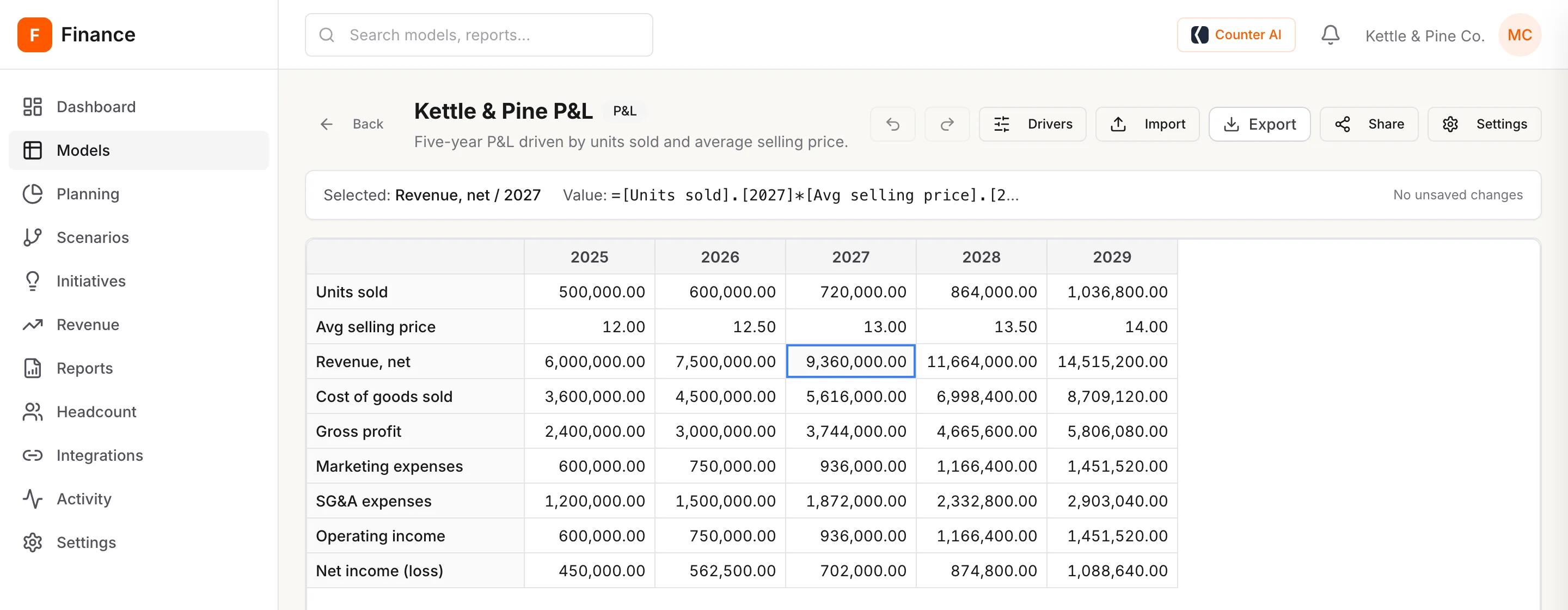
The Kettle & Pine P&L in SMH Finance, with the 2027 net revenue cell selected and its formula shown above the grid.
Revenue, net · 2027 =[Units sold].[2027] * [Avg selling price].[2027] = 9,360,000
Sent for review
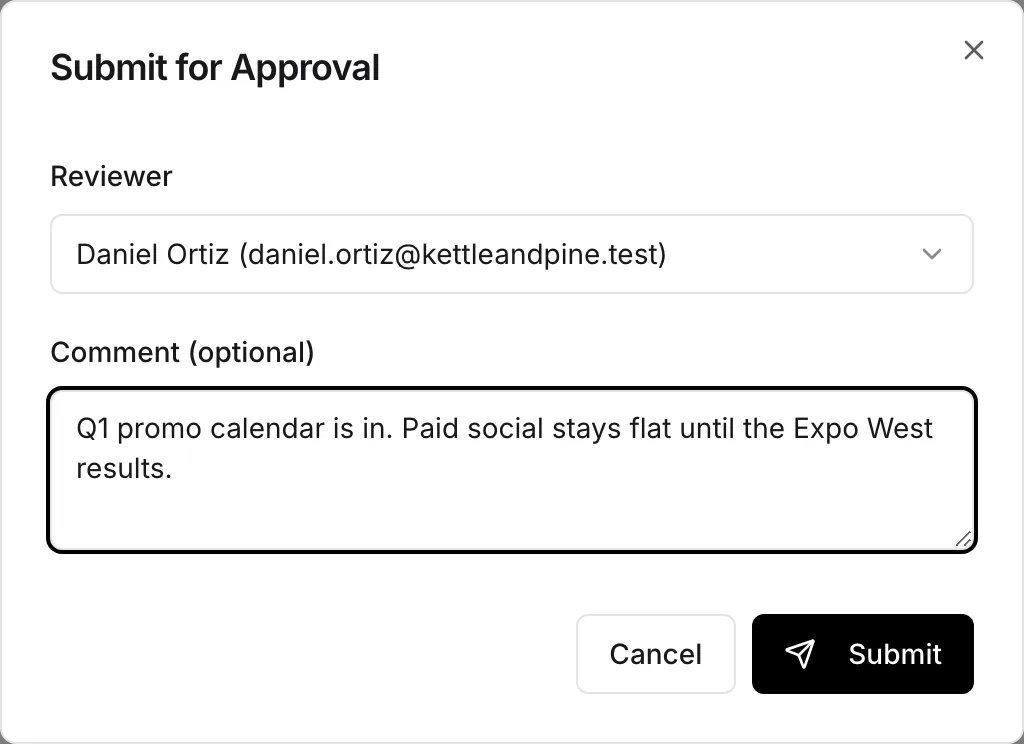
The Submit for Approval window, with Daniel Ortiz chosen as reviewer and a note about the promotion calendar.

In a spreadsheet, you are the guardrail.

Every rule lives in someone's head: which cells are safe to touch, which file is final, who already said yes. SMH Finance writes those rules into the way the work moves.

The question
In FY27_budget_v7_FINAL.xlsx
In SMH Finance
Who can change the numbers?
Anyone who has the file.
Five roles, from guest to admin, decide who can view, edit or approve.
Which version was approved?
Whichever file says final in its name, probably.
The one marked approved, and then locked.
Who signed off, and what did they say?
Somewhere in an email thread.
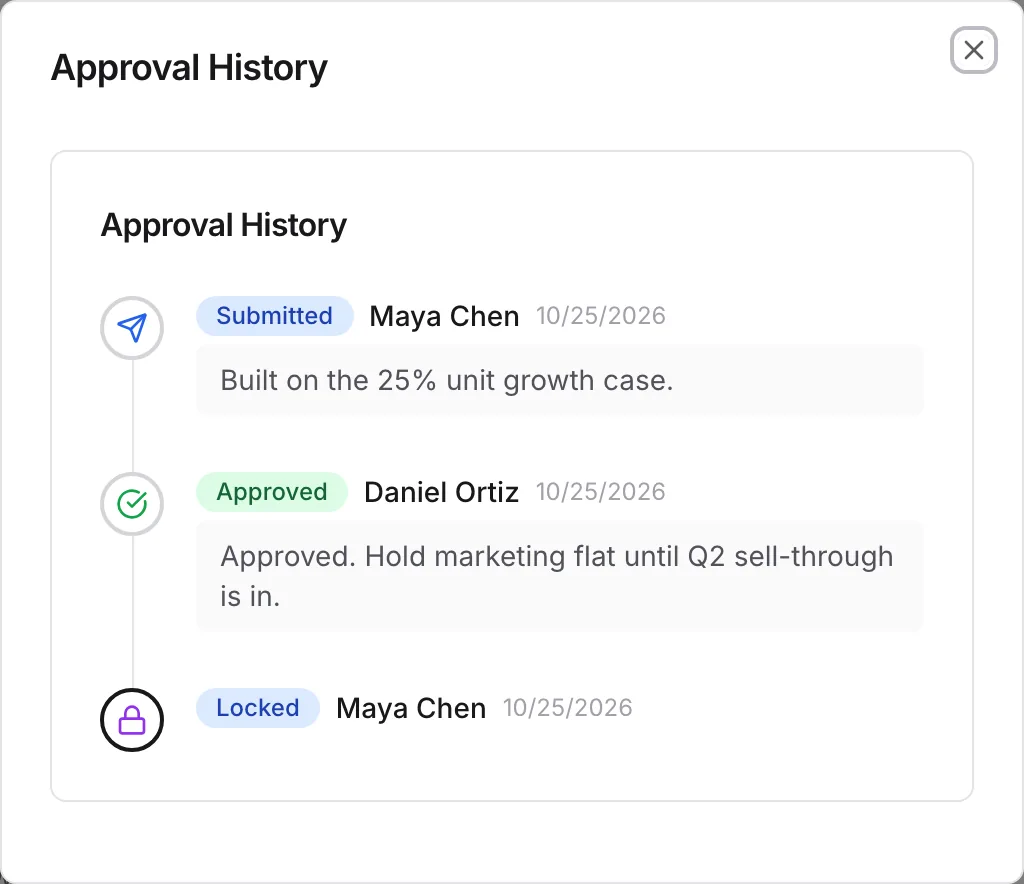
The approval history names each person and keeps their note.
Where does revenue come from?
A cell. Maybe a formula, maybe a typed number.
A formula you can read: units sold times average selling price.
How do actuals get in?
Export, paste, check the totals, repeat monthly.
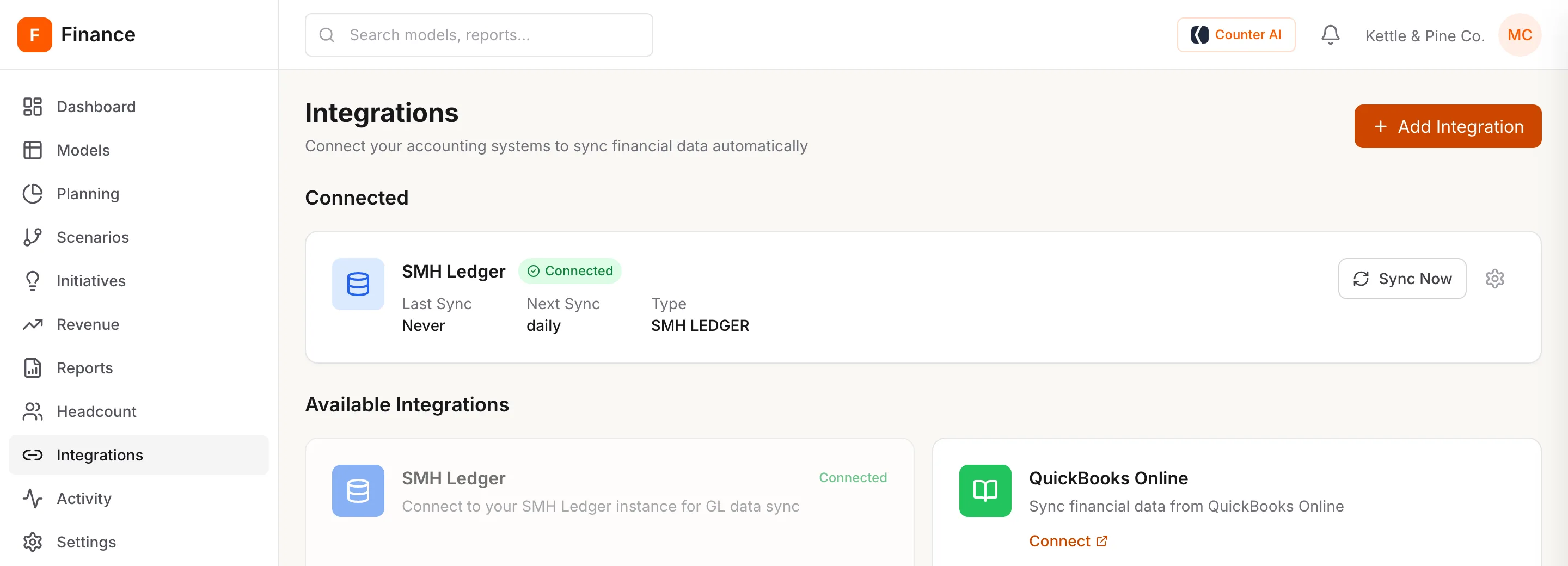
They sync in from SMH Ledger or QuickBooks Online.
What changed this week?
Ask around.
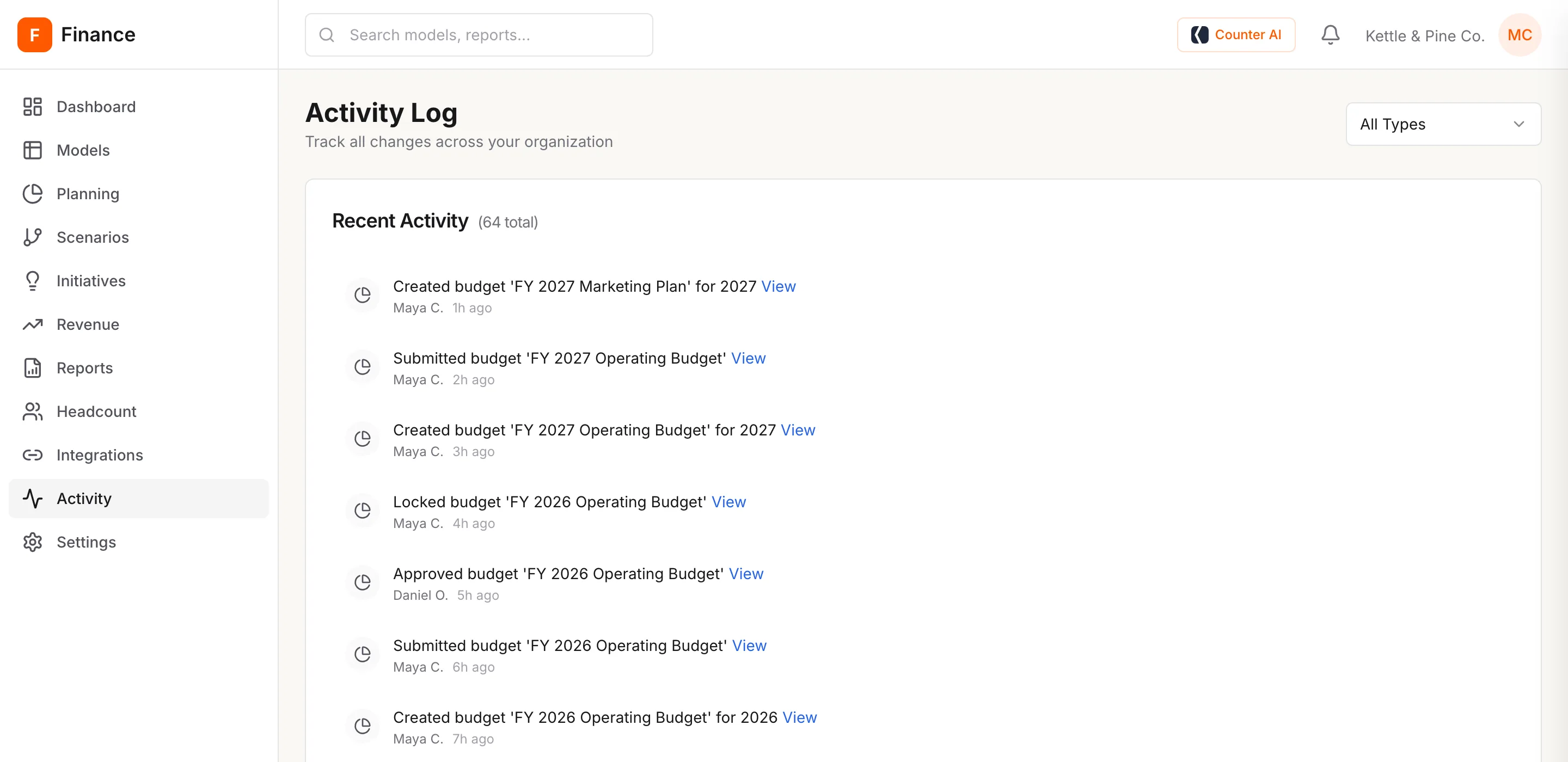
The activity log lists each change to models, budgets, roles and spend.
One planning cycle

From the first model to a locked budget.

01Build the model

Lines that depend on other lines are formulas.

Revenue is units sold times average selling price. Gross profit is revenue less cost of goods sold. Change a driver and every line that depends on it follows.

  • Formulas name the lines they use, so they read like the P&L (profit and loss statement).
  • Circular references are caught before they reach a total.
  • Start from a template or import the Excel file you use today.
A five-year P&L grid from 2025 to 2029, from units sold down to net income.

02Plan people and spend

Hiring and spending plans that add up by department.

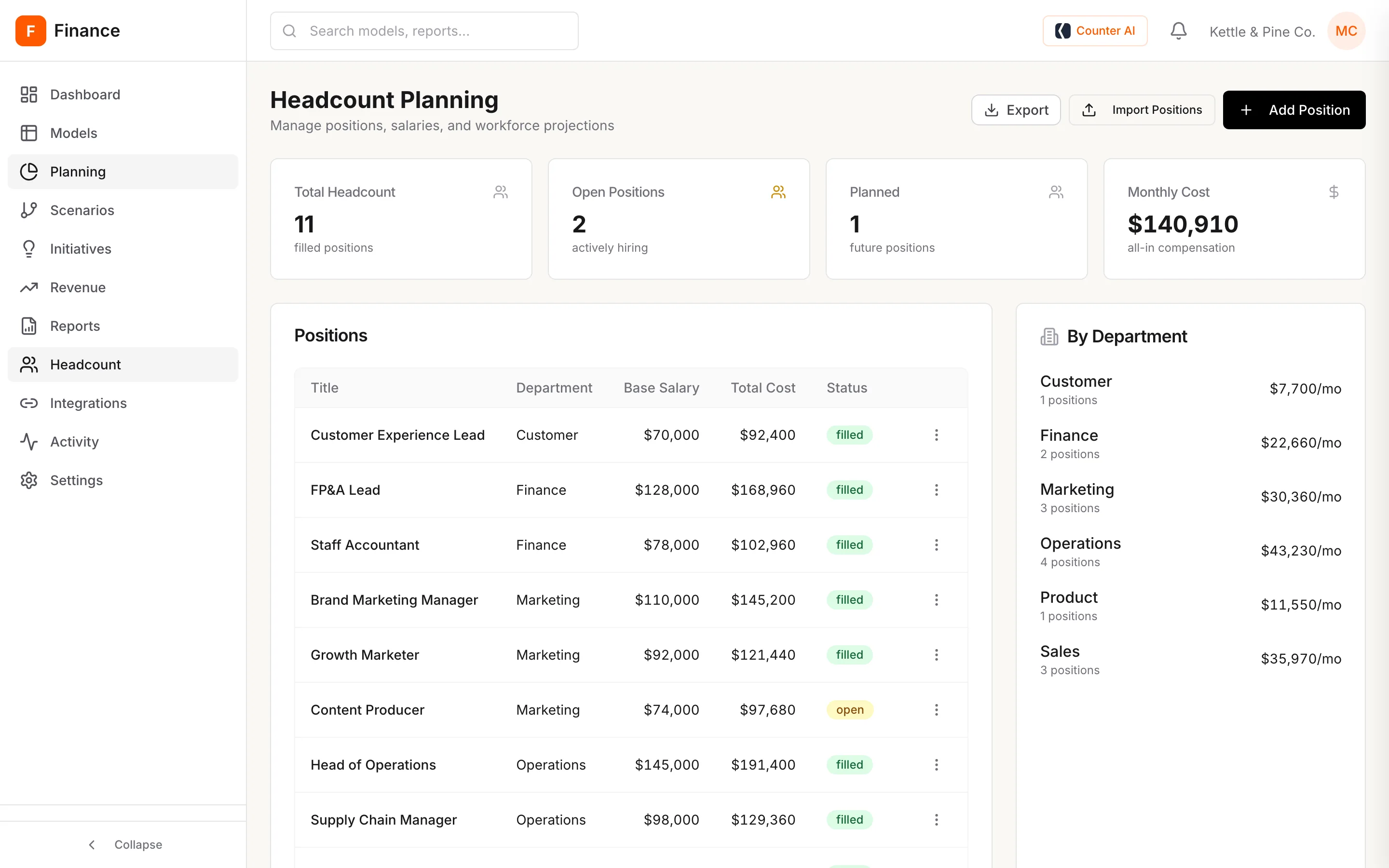
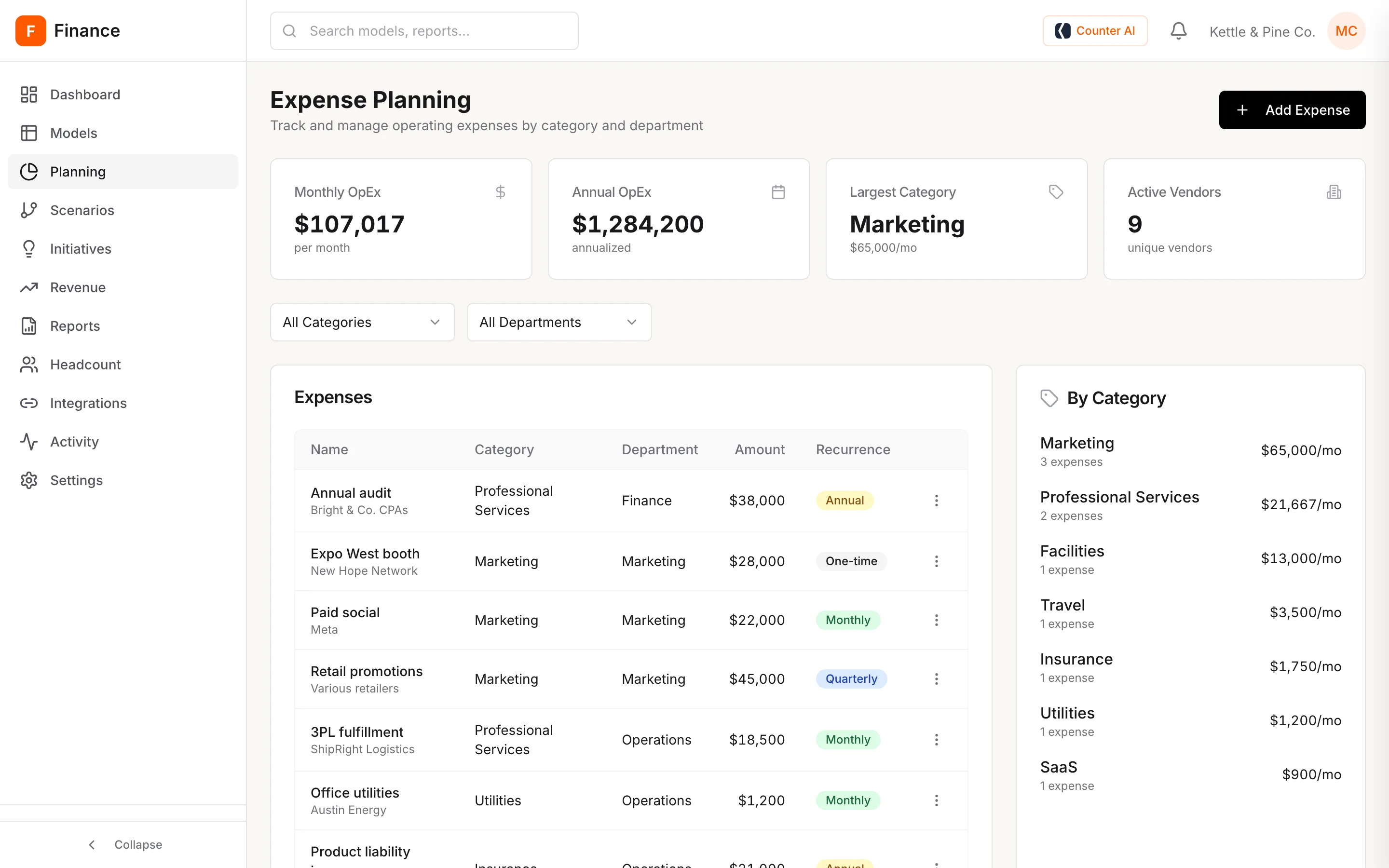
Each position carries its salary, benefits and bonus rates, and monthly cost rolls up by department. Each expense carries a vendor, a department and how often it recurs.

  • Filled, open and planned roles in one list.
  • Monthly and yearly operating spend by category.
Headcount planning: 11 filled positions, 2 open, 1 planned, and $140,910 monthly cost by department.
Expense planning with monthly and annual operating spend by category.

03Test the what-ifs

Set the base case beside the cases that worry you.

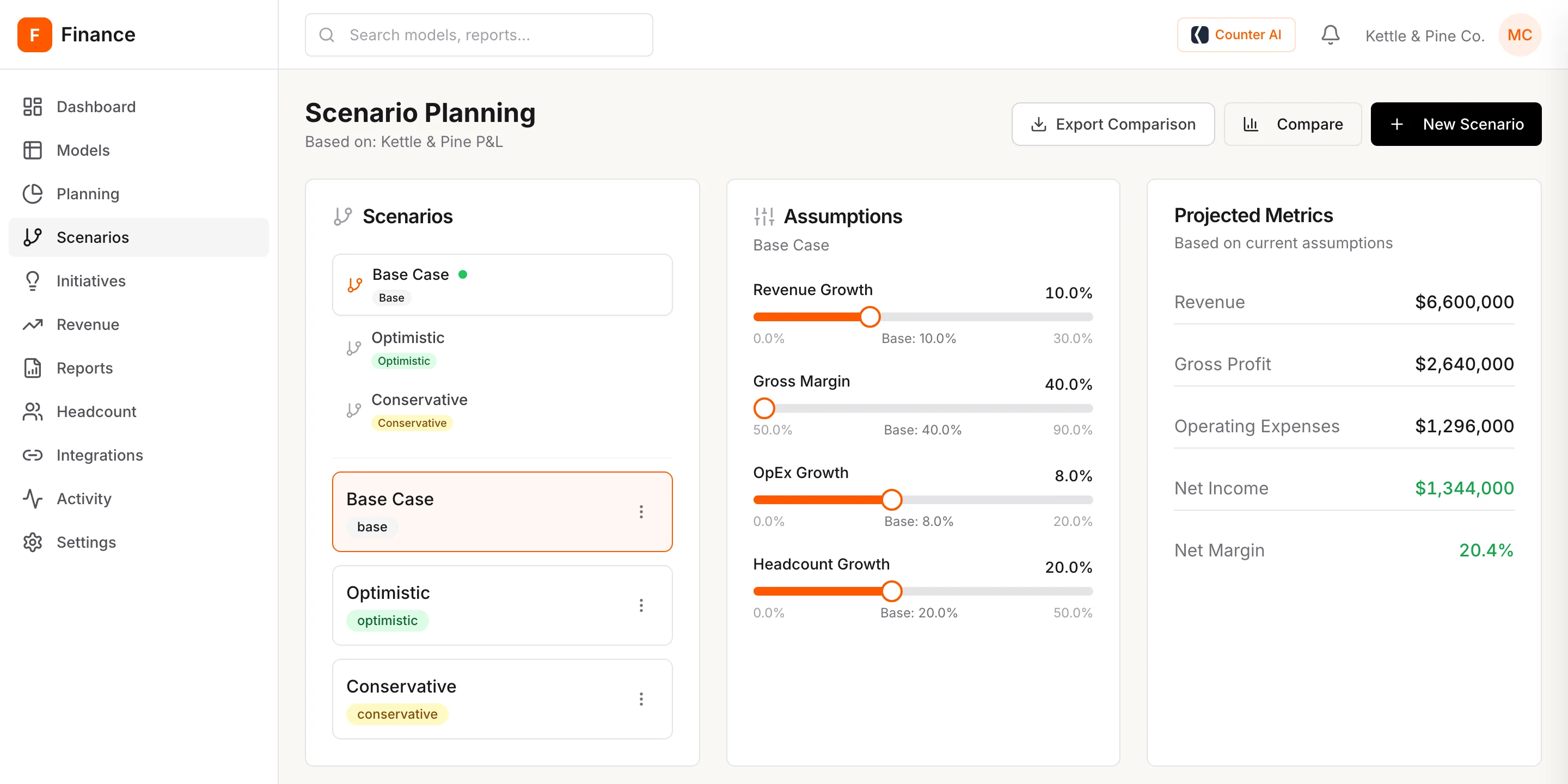
Move revenue growth, gross margin, operating spend growth and headcount growth, and watch projected revenue, profit and margin change. Compare scenarios side by side and export the comparison.

Scenario planning with base, optimistic and conservative cases, assumption sliders and projected metrics.

04Review and lock

Every budget goes through a named reviewer.

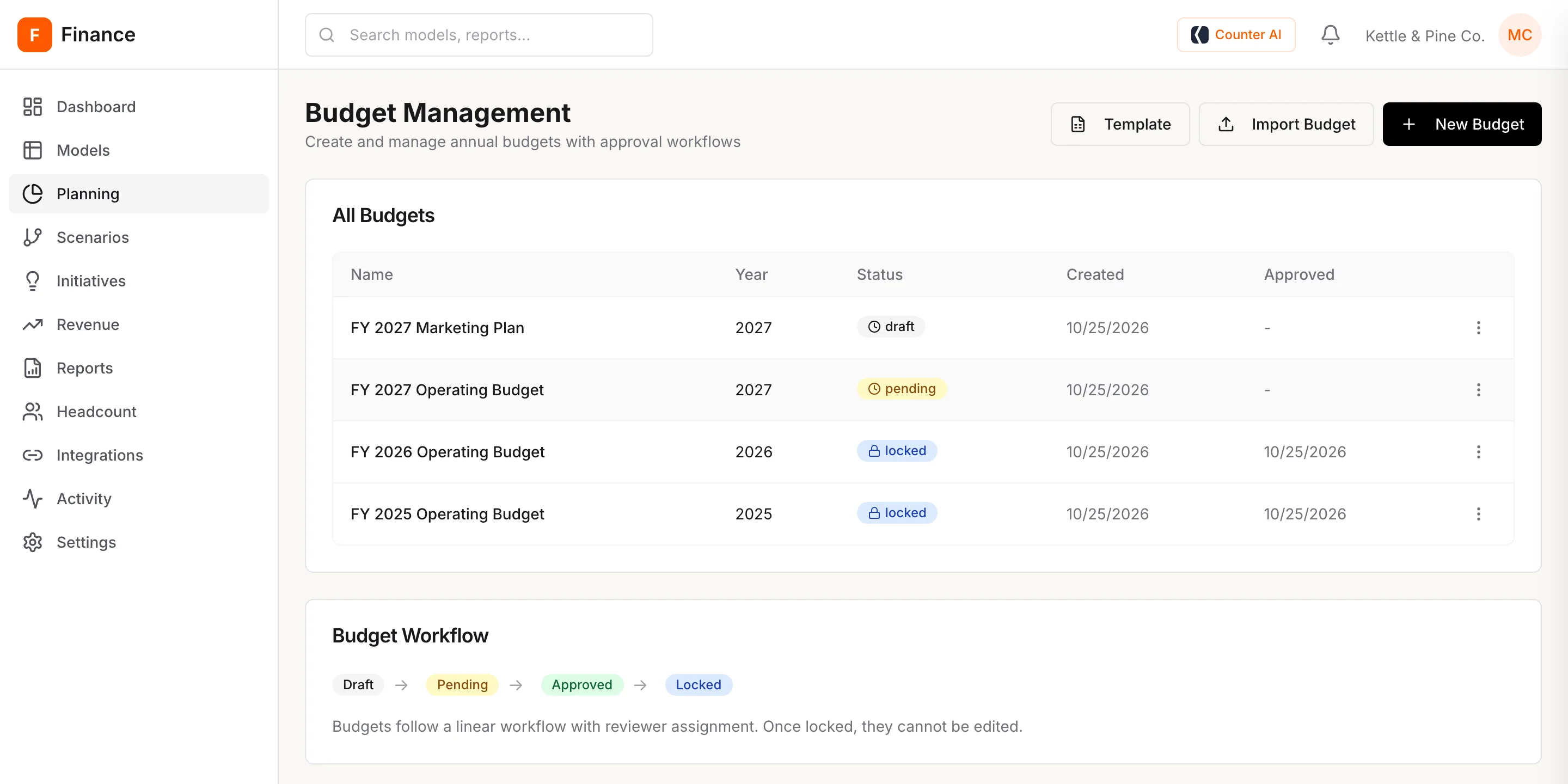
The person who submits a budget picks the reviewer and leaves a note. Only managers and admins can approve. Once a budget is locked, it cannot go back to draft.

Editors build the budget line by line. Nothing is final yet.

Budget management listing the FY 2027 marketing plan in draft, the FY 2027 operating budget pending, and FY 2026 and FY 2025 locked.
Submit for approval, with a reviewer and a note.
Approval history: submitted by Maya Chen, approved by Daniel Ortiz with a note, locked by Maya Chen.

05Bring in actuals

Actuals come from your books, not from a paste.

Connect SMH Ledger or QuickBooks Online, and actuals sync in on a schedule. Nobody exports a report and pastes it into the plan each month.

Integrations with SMH Ledger connected on a daily sync and QuickBooks Online available.

Everything on the record.

Who may do what is set by role. What they did is in the activity log.

Five roles

What they can doGuestViewerEditorManagerAdmin
See dashboards✓✓✓✓✓
See models, budgets and reports·✓✓✓✓
Edit models and budgets··✓✓✓
Approve budgets···✓✓
Connect accounting systems···✓✓
Manage people····✓

The activity log

The activity log listing budgets created, submitted, approved and locked, with who did each and when.

Early access

Run your next budget cycle in SMH Finance.

Early access is open to finance teams who plan in spreadsheets today. We set up your company with you and work through your next budget together.

  1. Tell us how you plan today. The form takes about a minute.
  2. We set up your workspace. Your team, their roles and your current model.
  3. Run one real cycle. Build, review, approve and lock a budget.

Request early access

We use these details only to reply about SMH Finance.

Thanks. Your request is in. We will write to you to set up a time.
That did not send. Please try again, or check your email address.